Recalculation of calculated fields in background threads.
A key feature of the new client is user workflow fluidity, which has been implemented in such a way that no system elements impede any mouse or keyboard movement. Therefore, to ensure full fluidity, calculated fields are computed so as not to block the display of data tables. Calculated fields can be implemented differently in the QLX language by implementers/developers and integrators of the Gardens ERP system. They often have to perform complex operations. In this case, while browsing tables, only after stopping on the appropriate page, the relevant columns that require calculation time are refreshed independently of the user's work.
Recalculation and drawing of graphics in the background with buffering.
IDE Gardens AM provides the ability to place various graphic elements in any cell of the data table. In order not to block the display of tables, the drawing functions are performed in an additional background thread. Furthermore, you can set the number of calculated pages in the table using a single call to the background procedure.
See the effect for yourself:
Gestures and views in the application
The graphical user interface of the Win11 system is characterized by modern gesture handling. Client GC4.00 views are placed on XAML::Pivot components, which react to browsing using gestures. DataGrid can also be scrolled using a 2-finger movement on the touchpad or the computer's touchscreen.
Using gestures, you can also arbitrarily embed the ERP system view by dragging it from the menu to a selected fragment of the client/user's working panel.
The application in the advanced option offers the possibility of working on multiple monitors. This function is applicable when working for multiple companies, e.g., for different companies in accounting services.
Power of XAMLA
The [IDE] Gardens AM environment allows embedding any graphics generated using XAMLA WinUI3. The user can work in any color scheme, and in light and dark modes. The graphic control enables rendering/transforming any XAMLA during program execution, which allows for unlimited possibilities of graphic animation without overloading the main GUI thread.
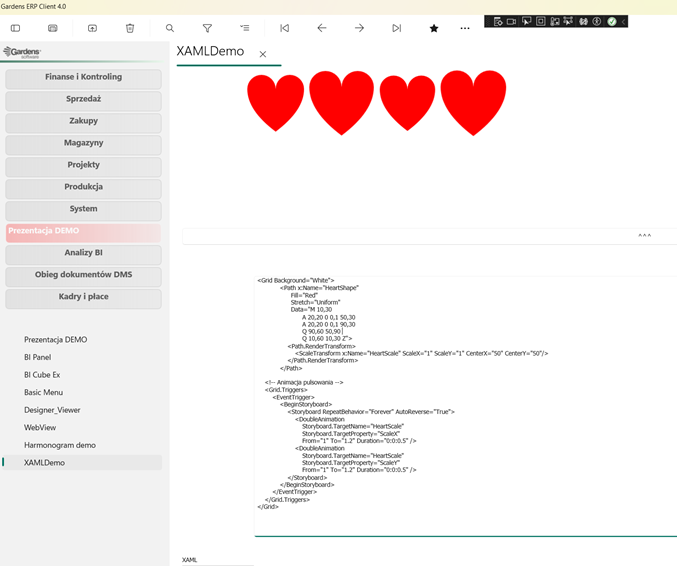
The illustration shows an example of XAML code that generates “pulsating” hearts.
Power of the built-in Chromium web browser
Displaying HTML and PDF documents, accessing web pages directly in the Gardens ERP system:
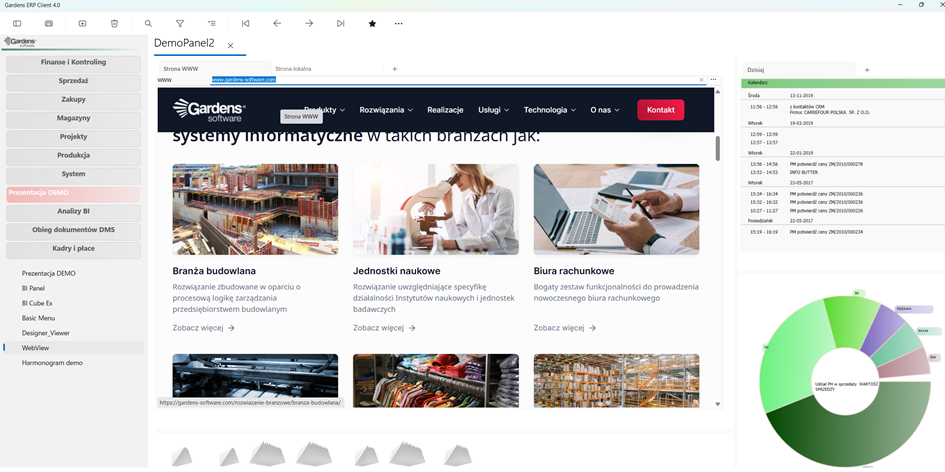
Communication with web applications or support for entire system modules written in JS:
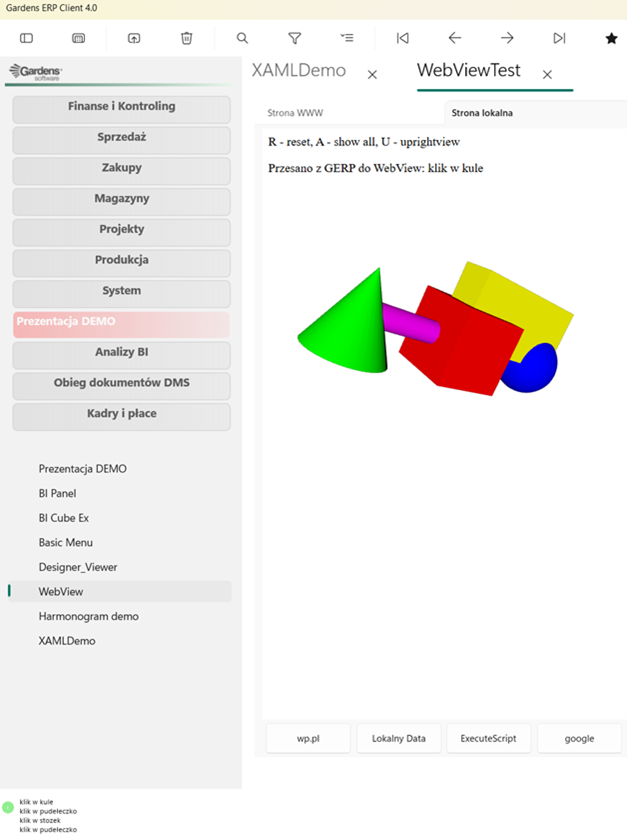
Two-way communication between the GardensERP system and web applications:
Power of multithreading
The system allows concurrent work, thanks to which processes can be run in parallel in background threads — for example, simultaneous posting of documents, bank statements, production settlement, and many other actions take place without blocking the user's current work. Each long-term operation can be interrupted at any time, which provides great flexibility in task management. The system also provides automatic notifications and communication in the background, regardless of the actions carried out in the user interface. Additionally, it offers the possibility of task scheduling, ordering, and handling processes in the background, including mail management. It is also worth highlighting the automatic generation of PDF documents in the background, which allows for further work optimization.
Power of AI
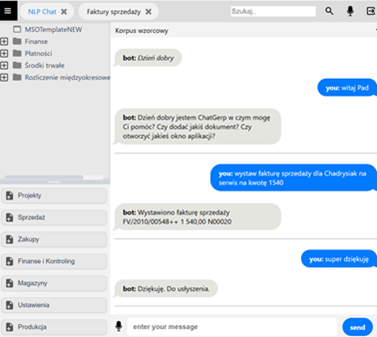
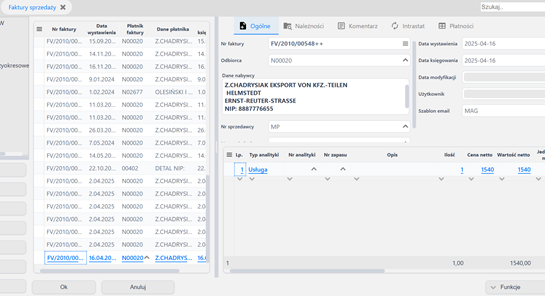
The AI assistant named PAD can use extended AI available in the Win11 system, but also from models implemented by Gardens-Software for the needs of individual ERP system implementations.
Power of connection modes (Thin – Thick Client)
The system allows working in 2 modes: connecting as a Thick Client with QLX logic processing on the client or as a Thin Client with QLX logic processing on the application server.
All system modules can be available through the Thin Client with the application server in the cloud with the same functionality as the Thick Client desktop application.
MS SQL Server or PostgreSQL
The possibility of migrating the entire solution between MS SQL and PostgreSQL database engines. Mechanisms for handling partial sum aggregators used for online financial analysis of the ERP system have been implemented in both databases.
Backward compatibility of the GC4.00 client
The new GardensERP system client cooperates with all existing installations, maintaining full compatibility with all modules, which ensures smooth and trouble-free operation in the existing environment.
Use of system and mobile devices of the Windows 11 system
GC 4.00, thanks to the modern API Win/RT, uses tools offered by modern operating systems - such as:
* Location
* Camera, photos, streaming,
* Text recognition (OCR),
* Speech recognition,
* QRcode, NCR scanners,
* Bank card handling
and all other devices delivered with the "inventory benefit" of the Windows 11 operating system.